Datamosh · Mac app

The real datamosh kit.
A datamosh app that faithfully recreates the original "one-stop datamosh kit" — made by VFX artists, for VFX artists. Instead of faking the look with a filter, MOSH rebuilds how datamoshing actually works: it corrupts the motion data inside compressed video, so your footage smears, melts, and breaks the way real damaged video does. Shape it live, from a gentle smear to fully destroyed, then export a clean clip for any editor.
- Real datamosh, not a filter — it corrupts the video's own motion data the way footage actually breaks
- Subject rotoscoping built in — melt more right where your subject is
- See every glitch change live as you drag
- Push it from a soft smear to fully broken
- Exports a clean clip that drops into any editor
- Apple Silicon Mac · macOS 14+ · pay once, no subscription
- Commercial-use output
Safe checkout · Mac app · Updates free forever
raw / mosh
Drag across the effect.
Same frame, before and after. Move the divider while the footage plays to see exactly what MOSH is doing.
the looks
The melt you know from music videos.
You've seen this look in music videos: melting color and smeared motion. MOSH lets you make it yourself and see it change live.
 Color chaosPixel meltTrail melt
 Depth meltNeon melt
A bit more
MOSH datamoshes footage the way it actually breaks when a video's motion data gets damaged — a faithful recreation of the real effect, not a filter slapped on top. Turn on depth to melt more where your subject is, and stack the looks for combinations a filter can't fake.
the app
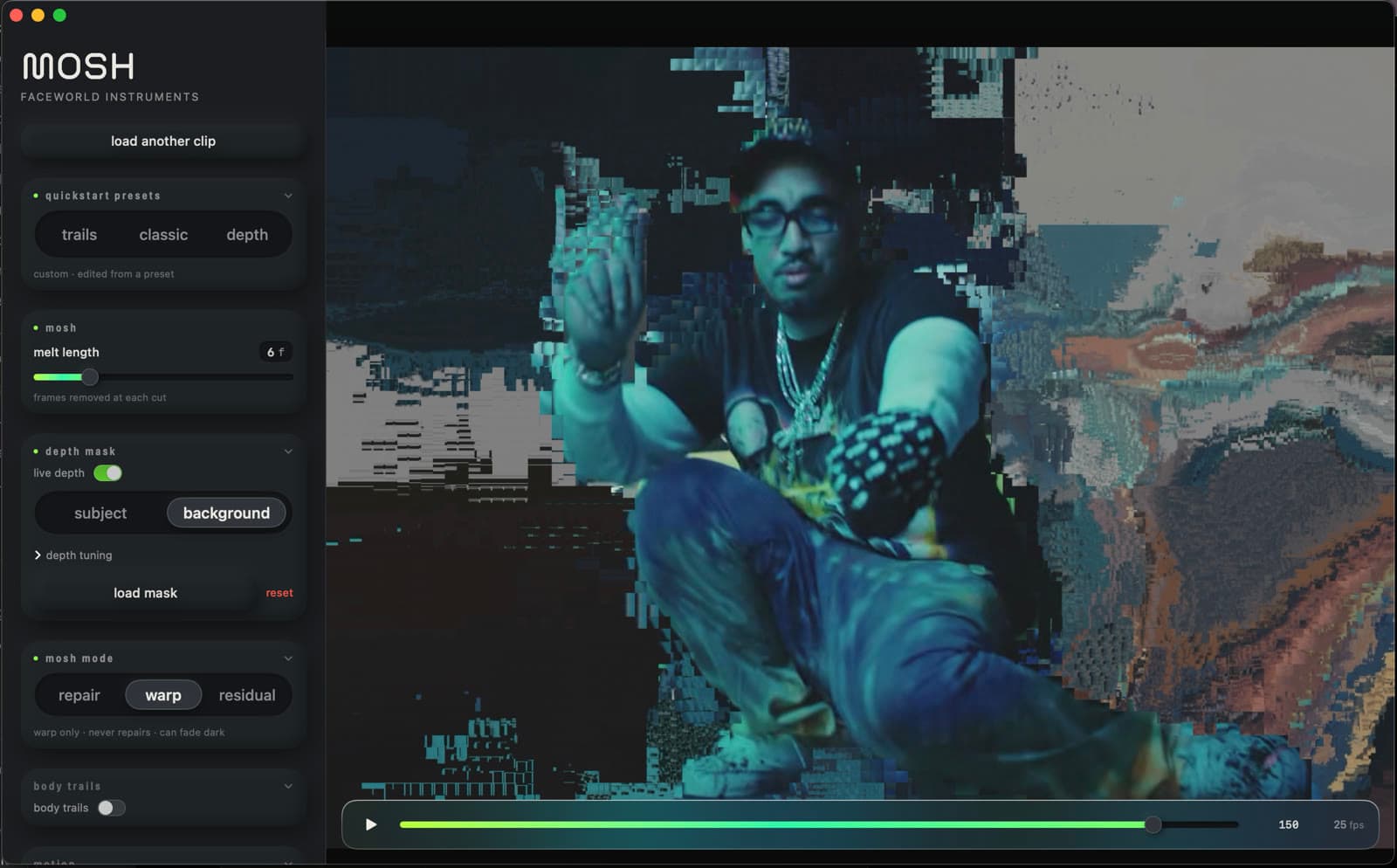
A real Mac app.
Drop in a clip, dial the melt with sliders, watch it change live, and save the finished clip — all in one window.
Under the hood
Real motion vectors. Not a filter.
Datamosh isn't a texture you drop on top · it's what actually happens when a compressed video's motion data gets damaged. MOSH does the real thing: it re-encodes your footage to MPEG-4, reads the true per-macroblock motion vectors the codec computed, and re-runs the prediction so the melt flows along the footage's own movement.
Your frames become an MPEG-4 stream · a single I-frame, then all P-frames. The classic one-stop datamosh kit.
Read the real motion vector the codec assigned to every macroblock · the actual direction each block believes it moved.
Re-apply that motion with the correction data removed. The picture keeps moving where the footage does · and melts.
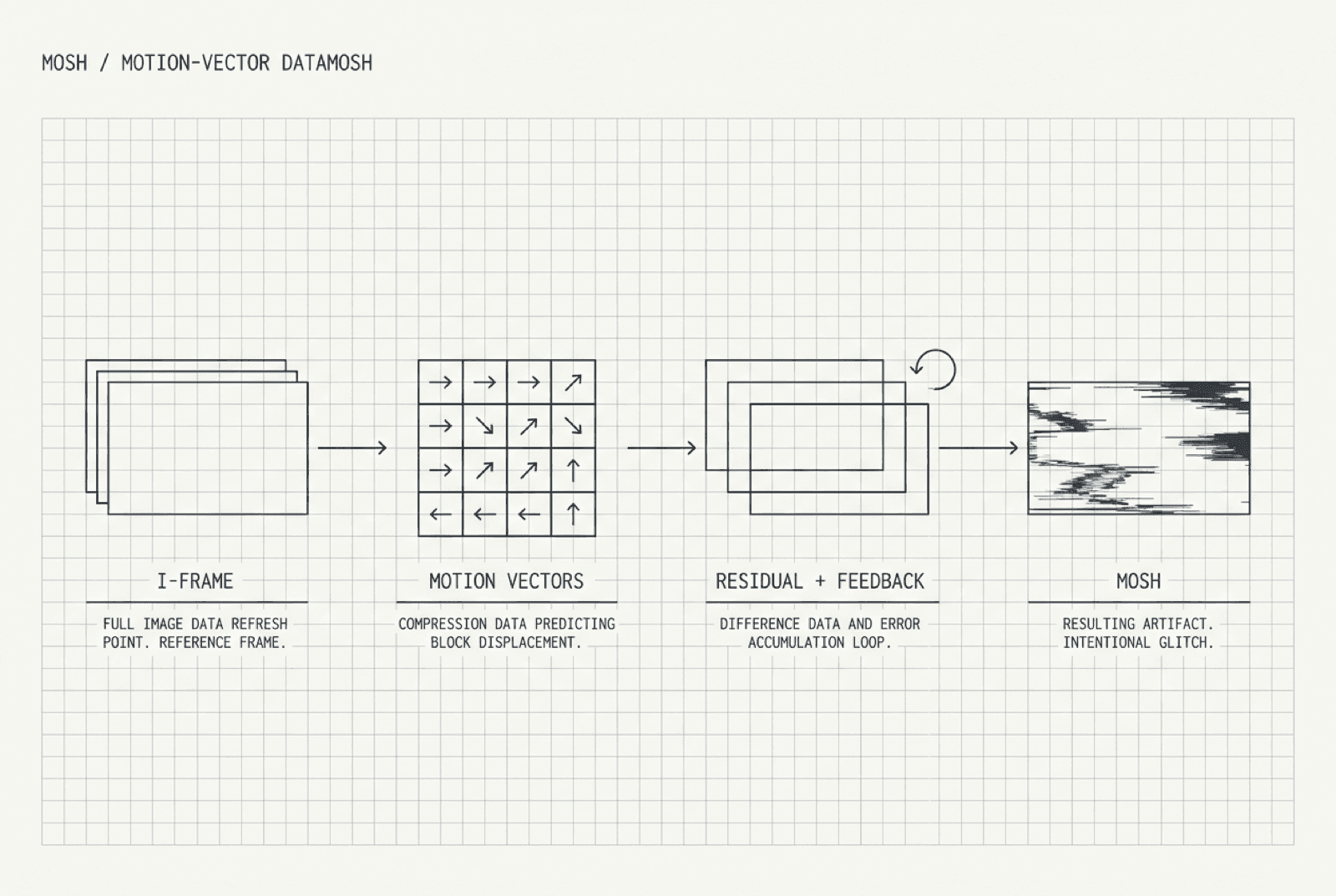
Real codec motion vectors, where lesser plugins fake the look with a displacement map.
Same engine, whether you run the Mac app or the After Effects / Premiere plugin.
before you buy
Clear on purpose.
Every clip here is real output from the app. Buying is simple: one Mac app, one checkout, and what you make stays yours.
What do I get?
MOSH is a Mac app. You shape a clip in it, then save the finished clip for your edit.
Is it a subscription?
No. Pay once and keep it. Updates are free forever.
What Mac do I need?
Any Apple-chip Mac on macOS 14 or newer.
Can I use it in paid work?
Yes. Use what you make in client work, music videos, social posts, and personal projects.
What makes it different?
The melt is real, not a filter on top — and you see it change the second you drag a slider.
ready when the clip is
Get MOSH and start bending footage.
also in the rack